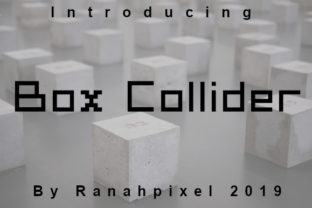
Box Collider: A Retro-Tech Font with Punch
If you’ve ever paused mid-scroll to admire the crisp, chunky charm of a vintage terminal interface—or felt that nostalgic jolt seeing Commander Keen’s title screen—you’ll instantly “get” Box Collider. It’s not just another pixel font dressed up for Instagram. This is a carefully engineered decorative typeface rooted in retro computing aesthetics but built for today’s real-world design needs: clarity at small sizes, strong visual hierarchy, and unmistakable personality without sacrificing legibility.
More Than Just Nostalgia—It’s Functional Design
Box Collider draws direct inspiration from early 8-bit and 16-bit systems—think monospaced CRT displays, BIOS boot screens, and arcade cabinet marquees. But unlike many retro fonts that sacrifice usability for authenticity, Box Collider balances nostalgia with intentionality. Its letterforms feature clean, squared terminals, consistent stroke widths, and subtle optical corrections—no jagged edges or forced aliasing. The result? A font that looks like it belongs on a Commodore 64, yet renders flawlessly on a modern 4K monitor or mobile device.
What sets it apart isn’t just its look—it’s how it behaves. Each glyph occupies a precise grid-aligned box, giving text a rhythmic, almost architectural presence. That “box collider” concept isn’t metaphorical: letters are designed to interact predictably in tight spaces, making them ideal for UI labels, dashboard widgets, or data-dense layouts where alignment and spacing matter.
Where Box Collider Shines (and Where It Doesn’t)
This isn’t a workhorse body font—and it shouldn’t be. Box Collider excels where impact, identity, and controlled emphasis are needed. Think of it as your typographic spotlight: used sparingly, it commands attention; overused, it overwhelms. Here’s where it delivers measurable value:
- Branding & Identity: Startups in tech, gaming, hardware, or creative tools use Box Collider for logos, app icons, and product names—especially when they want to signal precision, playfulness, or indie authenticity. A robotics education platform might pair it with a clean sans-serif for headings (“CircuitLab”) to suggest both technical rigor and approachability.
- Digital Interfaces: Dashboard headers, status indicators (“OFFLINE”, “SYNCING”, “BOOTING”), and interactive buttons benefit from its high-contrast, low-noise forms. Unlike many retro fonts, Box Collider includes true italics, numerals with lining figures, and extended Latin support—so it scales cleanly across languages and contexts.
- Educational Materials: Educators teaching coding basics, computer history, or digital literacy find Box Collider helps students visually connect concepts to their origins. A lesson on ASCII art becomes more tangible when the examples are set in Box Collider—not as decoration, but as context.
- Print & Merchandise: Its bold geometry translates exceptionally well to screen printing, laser engraving, and vinyl cutting. T-shirts, workshop signage, or conference badges gain instant character without relying on clipart or stock graphics.
Real Use Cases—Not Just Mockups
A freelance UX designer recently used Box Collider for the “error state” labels in a client’s internal admin tool. Why? Because users scanning dashboards under time pressure needed immediate recognition—not aesthetic flair. The font’s rigid proportions made “ERROR 404” stand out faster than a rounded, friendly sans-serif would have.
Another example: a small publisher launched a zine series about analog computing. They set all issue titles and section dividers in Box Collider—but kept body text in a highly readable serif. Readers consistently commented that the typography “felt like opening a dusty manual from 1983,” yet the content remained fully accessible. That balance—evoking era without excluding newcomers—is Box Collider’s quiet strength.
What to Watch For Before You Commit
Like any expressive typeface, Box Collider demands thoughtful implementation. Here’s what seasoned designers check first:
- Weight range: It ships in two primary weights—Regular and Bold—with no light or medium variants. If your project needs fine-grained typographic contrast (e.g., captions vs. subheads), plan how Box Collider fits within your broader type system—not as the sole solution.
- Line spacing & x-height: Its generous x-height improves readability at smaller sizes, but tight leading can make lines feel crowded. Test at your intended display size—especially in responsive environments. A 1.3–1.4 line-height ratio often works best.
- Licensing scope: Verify whether your use case (e.g., SaaS dashboard, white-labeled app, physical product packaging) falls under the standard desktop/web license—or requires an extended commercial grant. Some developers assume webfont licenses cover embedded usage in Electron or React Native apps; they often don’t.
- Accessibility compliance: While Box Collider passes basic contrast checks (AA at 18px+), avoid using it for long-form text or critical instructions. Reserve it for headings, labels, and short identifiers—then pair it with a WCAG-compliant body font.
Pairing It Well—Because Context Is Everything
Box Collider doesn’t need to go it alone. In fact, its strongest applications happen in partnership. Try these proven combinations:
- With Inter or IBM Plex Sans: Clean, neutral, and highly legible—ideal for supporting text in tech documentation, developer portals, or product landing pages.
- With Space Grotesk or Recursive: For projects embracing a “neo-retro” vibe—think modern coding bootcamps or open-source toolkits—this pairing bridges eras without irony.
- With a monospace like JetBrains Mono or Fira Code: When designing dev tools or code playgrounds, Box Collider for UI elements + monospace for actual code creates intuitive visual zoning.
One final note: if you’re evaluating Box Collider against alternatives like Press Start 2P or VT323, look beyond the preview. Load it into your actual design environment. Test it with your real content—not lorem ipsum. See how it handles your brand’s tone, your users’ tasks, and your team’s workflow. Great typography isn’t about trend alignment. It’s about solving a specific communication problem—clearly, reliably, and with just enough character to be remembered.